How to Redeem Zero Line Codes
Lobby UI walkthrough, failure fixes, and what to do when no public codes are live.
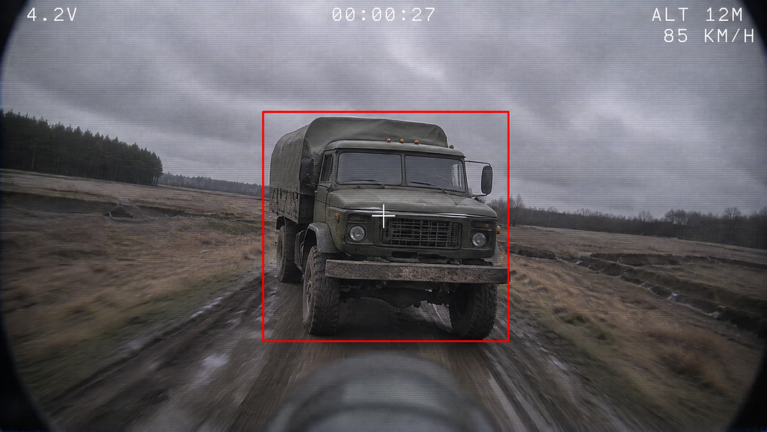
Players search for how to redeem Zero Line codes the moment Pushpin Gaming flips a promo banner or a friend pastes a string in chat. This page is the dedicated redeem walkthrough for the Roblox FPV drone kamikaze experience. It complements the status table on the Codes Hub with a full lobby checklist, common failure causes, and safe habits so you never download an executor just to claim free cash.
As of the latest sweep (21 November 2026), no permanent public promo codes are confirmed for Zero Line. The redeem flow below still matters: when a code does drop, you want the muscle memory ready. Until then, the strongest free multiplier remains joining Pushpin Gaming for +20% cash — see the dedicated group bonus guide.
Before you open the Codes field
- Launch Zero Line on Roblox on the same account that should receive the reward.
- Wait until the lobby or HUD fully loads. Redeeming mid-teleport often fails silently.
- Copy the code from a trusted list (this wiki’s Codes Hub, a Pushpin group shout, or an in-game banner) — do not retype from memory if the string mixes letters and digits.
- Confirm you are not already in a kamikaze dive; pause in a safe lobby or idle state so UI clicks register.
Where the redeem UI usually lives
Pushpin Gaming has not published a permanent public FAQ that pins one button forever. On Zero Line–style Roblox action titles, codes appear in one of these places. Check them in order the first time a promo lands:
1. Settings gear
Open the gear / Settings icon. Look for tabs labeled Codes, Redeem, Gifts, Promos, or Social. Some patches nest the text box one level deeper under Shop-related settings.
2. Shop or Store panel
Open the cash shop or Game Passes panel and scroll past paid offers. A Codes or Discord Codes input often sits at the bottom of the list.
3. HUD ticket / gift icon
Some builds pin a ticket, gift box, or X/Twitter-style icon near missions or cash. Tap it, paste, redeem once.
4. Group verify (not a typed code)
Joining the creator group is separate from typing a string. After you join Pushpin Gaming, rejoin the place so the +20% cash bonus can apply. That bonus does not use the Codes field.
If none of these fields exist in your build, typed codes are simply not shipped yet. Bookmark the Codes Hub and watch Updates when the experience title shows events such as [2X XP].
Redeem checklist (copy this)
- Paste the code with no leading or trailing spaces.
- Respect case sensitivity —
WelcomeandWELCOMEare different strings on most Roblox games. - Press Redeem / Claim once, then wait for a success or error toast.
- If cash or inventory does not update within a few seconds, rejoin the server once.
- Do not mash Redeem; short cooldowns can lock the button after spam.
Why a code fails
| Symptom | Likely cause | What to try |
|---|---|---|
| “Invalid” / “doesn’t exist” | Fake chat code, typo, or wrong game | Recopy from Codes Hub; ignore random Discord DMs |
| “Expired” | Timed promo ended | Move on; check Updates for the next drop |
| “Already redeemed” | Account already claimed it | Stop retrying; one claim per account is normal |
| No toast at all | UI lag or wrong field | Rejoin, paste again once, confirm you used the Codes box |
| Success but no cash | Inventory sync delay | Rejoin; then finish a small mission to refresh payouts |
Never “fix” a failed code by running a script. Real promos redeem inside the official UI only — the Scripts Hub explains why executors risk bans and account theft.
Safe sources vs. scam patterns
Trust: Pushpin Gaming group shouts, the live Roblox place title/banners, this wiki after we verify rewards, and clear in-game announcements.
Avoid: DMs selling “private Zero Line codes,” sites that demand your Roblox password, videos that tell you to install an executor for free cash, and spreadsheets that mix codes from unrelated games named “Zero.”
If a creator posts a working string with a clear reward screenshot, still verify it yourself in the Codes field before sharing it as fact on the Players channels.
What to do while no public codes are live
Zero Line progression does not depend on promos:
- Clear daily and weekly missions for reliable cash and XP (missions and levels).
- Keep the +20% cash group bonus active (group bonus).
- Spend early earnings on batteries and propellers before cosmetics (drone upgrades, upgrade priority).
- Play during [2X XP] title windows tracked on Updates to climb the 55-level track faster.
- Learn FPV fundamentals in Getting Started and how to fly FPV so every payout buys more combat power.
After a successful redeem
- Note the reward text (cash, XP item, skin) so you can report accurate details if the wiki asks for confirmation.
- Spend performance parts first if the reward was currency.
- Recheck the Codes Hub later — expired strings move to an Expired section instead of vanishing without a note.
- Continue the session with missions; do not idle in the lobby waiting for a second mythical code.
Related pages
- Codes Hub — live status table
- Group bonus — permanent +20% cash
- Updates Hub — XP events that sometimes accompany promos
- Getting Started — first-hour spend plan
- Scripts Hub — why codes never need executors
- Players Hub — how to report a verified working code
Frequently Asked Questions
Quick answers for Zero Line pilots.
How do I redeem codes in Zero Line?
Open Settings, Shop, or a Codes/Gifts HUD button, paste the string exactly, and press Redeem once. Rejoin if rewards do not appear within a few seconds.
Why is there no Codes button?
Typed promo redemption may not be shipped in the current build. Use the group +20% cash bonus and missions instead, and recheck the Codes Hub after updates.
Are Zero Line codes case-sensitive?
Almost always yes. Paste exactly as published, with no extra spaces, and try only once before rejoining.
Can a script redeem codes for me?
No. Legitimate codes use the official UI only. Anything that asks you to run an executor for codes is unsafe.
What should I redeem toward first?
If the reward is cash, buy battery and propeller upgrades before camo skins. Follow the drone upgrades and tier list hubs.