Zero Line Guides
Tutorials for FPV flight, upgrades, missions, and fair combat.
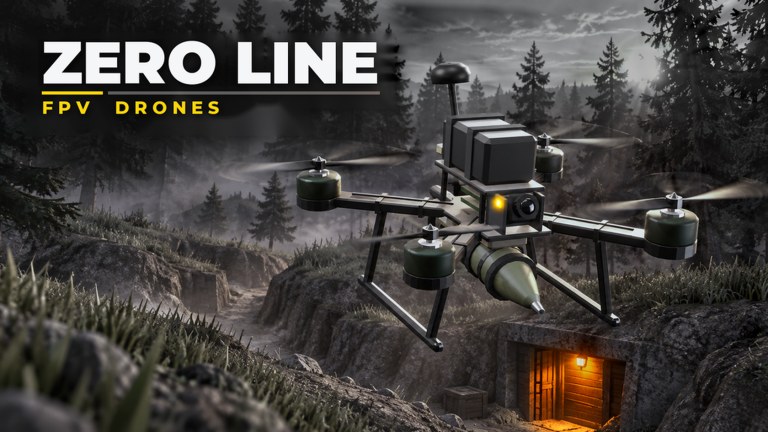
Welcome to the Zero Line Guides Hub — the map of every how-to on this unofficial fan wiki for Pushpin Gaming’s Roblox FPV drone kamikaze experience. Whether you just launched the place titled [2X XP] Zero Line [FPV DRONE KAMIKAZE] or you are mid-ladder on the 55-level track, start here, then dive into focused articles as we publish them.
Zero Line mixes open-world action with first-person drone warfare: dive into enemy players, trucks, and helicopters; shoot rival drones with onboard guns; or commit to a kamikaze strike when the angle is right. Guides on this wiki stay practical — controls, economy, upgrade order, mission routing, and platform notes for PC, mobile, tablet, and console.
Start here
New pilots should open Getting Started first. That page covers day-one HUD literacy, how to leave the spawn mindset, and how to spend early cash without wasting it on cosmetics. After that loop once, return here to plan your next read.
What this hub covers
FPV fundamentals
Successful runs feel like camera work under pressure. Expect guidance on throttle discipline, dive angles into soft targets versus armored trucks, when to gun-fight another drone instead of ramming, and how night vision and thermal camera upgrades change night and smoke fights. Pair flight tips with the Tier List Hub so you know which propeller and battery breakpoints matter.
Progression and economy
Cash fuels batteries, propellers, antennas, optics, and later camo skins plus outfits across three drones. Guides explain why mission cash plus the Pushpin Gaming +20% cash group bonus (details on Players) beats idle hoping for promos. When typed rewards exist, cross-check the Codes Hub. During title events, skim Updates before a long session so you do not miss 2x XP windows.
Missions and objectives
Daily and weekly missions are the reliable XP and cash spine. Hub-linked guides will break down efficient clears, which objectives stack with open-world hunting, and how to avoid dying with a full mission streak still incomplete. Until specialized mission pages exist, treat Getting Started plus in-game mission text as your checklist.
Combat roles and targets
Not every engagement wants a suicide dive. Sometimes you peel an enemy drone with guns, bait a chase into friendly fire, or save a high-upgrade craft for a helicopter that is worth the battery. Guides emphasize decision trees: abort, shoot, or kamikaze — then recover with a fresh drone without tilting into repeat deaths.
Platform and settings
Zero Line supports PC, mobile, tablet, and console. Sensitivity, touch layouts, and controller curves differ. When something feels broken (not just difficult), use Settings → FEEDBACK/BUG as described on the Players hub instead of assuming you need third-party tools. The Scripts Hub explains why executors are a ban risk, not a guide substitute.
Featured and planned guide topics
| Topic | Status | Why it matters |
|---|---|---|
| Getting Started | Live | First-hour controls and spend order |
| Controls | Live | PC, mobile, and console binds |
| How to fly FPV | Live | Dive angles and battery discipline |
| Drone upgrades | Live | Batteries → props → antennas → cameras |
| Missions and levels | Live | Daily / weekly routing on the 55-level track |
| Thermal vision | Live | Night vision vs thermal toggles |
| Targets and map | Live | Players, trucks, helis, abort rules |
We only link slugs that already exist. New guides appear in this table and in the header dropdown (PC menus cap at eight rows, then “View all”).
How to use guides with the rest of the wiki
- Learn controls and early goals in Getting Started.
- Rank upgrade priorities on the Tier List Hub.
- Claim group cash and learn feedback etiquette on Players.
- Watch Updates for balance and XP events that change advice.
- Ignore cheat shortcuts summarized on Scripts; redeem only UI Codes when live.
- Keep official URLs handy via the Links Hub.
Quality bar for every Zero Line guide
Articles aim for concrete steps, internal links with clear anchor text, and FAQs that match real search queries (how to fly, how to upgrade, how to complete missions, how to report bugs). We do not invent YouTube IDs or release dates. Facts stay aligned with the live Roblox place: Pushpin Gaming, universe 10772119043, released 20 October 2026, online multiplayer FPV combat.
If a patch reworks drones or missions, check Updates first, then re-read the affected guide section — patch notes beat memory when thermal tiers or XP curves shift.
Related hubs
Frequently Asked Questions
Quick answers for Zero Line pilots.
Which Zero Line guide should I read first?
Start with Getting Started for controls, early cash, and first upgrades. Return to this hub afterward for combat and progression topics.
Do guides cover mobile and console?
Yes — Zero Line runs on PC, mobile, tablet, and console. Platform-specific notes appear inside beginner and settings sections as we expand them.
Are these official Pushpin Gaming docs?
No. zeroline.wiki is an unofficial fan wiki. For bugs and feedback, use the in-game Settings → FEEDBACK/BUG flow described on the Players hub.
How often are guides updated?
After meaningful patches, XP events, or economy changes. Follow the Updates hub, then re-check linked guides for revised upgrade advice.
Where can I see drone rankings while reading guides?
Use the Tier List Hub alongside Guides. Guides teach how to play; tier pages rank drones and upgrade investments.